Using, Duplicating & Deleting an Agent
Once an agent exists, you use it in a Space chat and manage it from the Agents library. This page covers both.
Using an agent in a chat
Custom agents are chosen the same way as the built-in assistants — from the agent selector in a Space’s chat input.
- Open a Space and click into the “What do you want to know?” box.
- Open the agent selector and pick your agent from the list.
- Ask your question. The agent answers using its own instructions, model, tools, and linked knowledge.
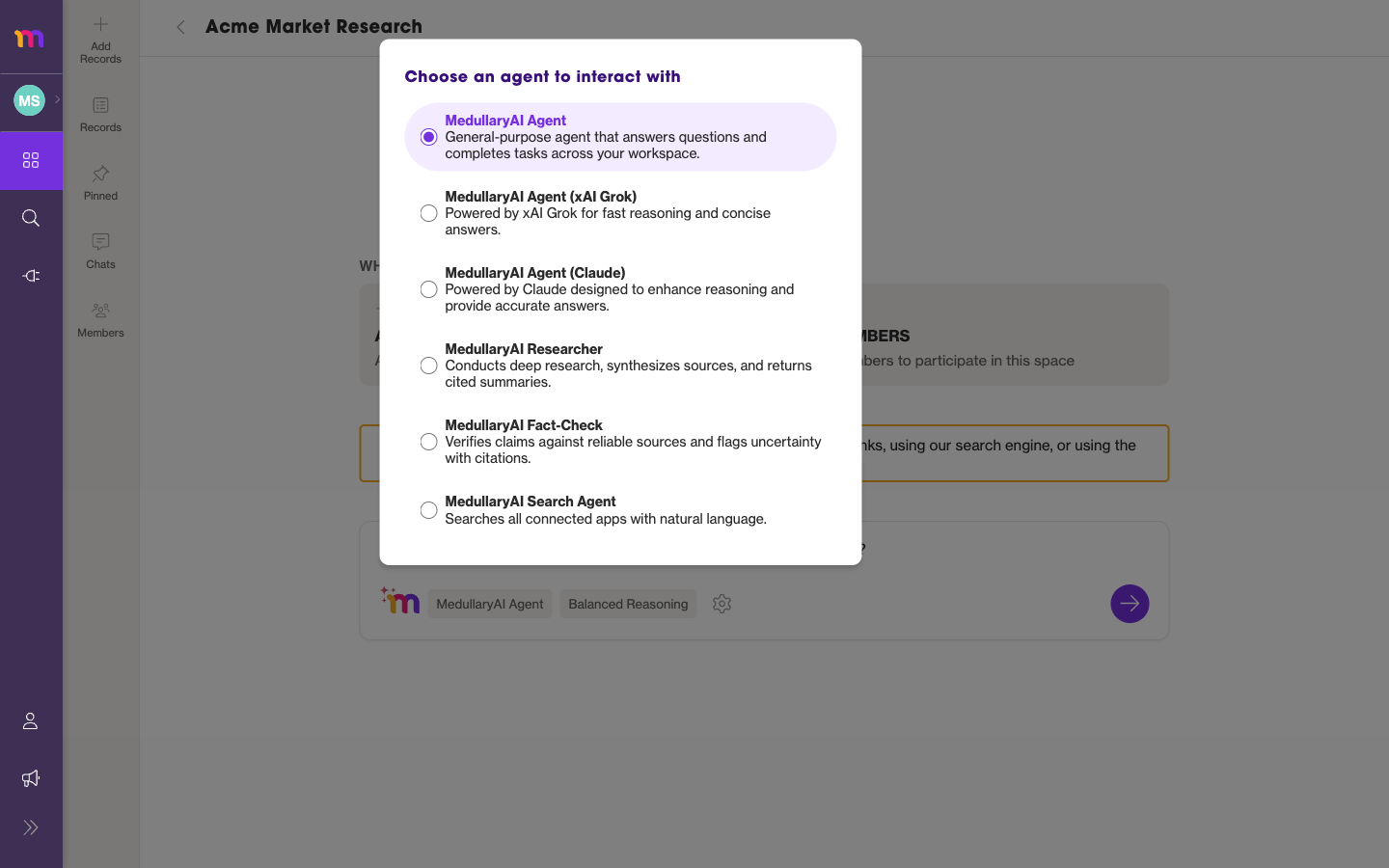 Your custom agents appear in the same selector as the built-in assistants. While an agent replies, its avatar and name appear on the message.
For everything else about the chat experience — reasoning effort, suggested actions, the Discovery Path — see Chatting with the Medullar AI.
Managing agents from the library
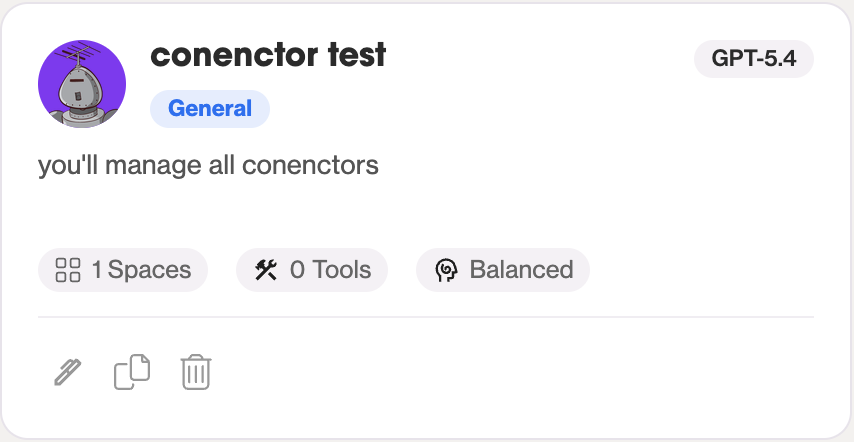
Each card in the Agents library has quick actions:
Editing an agent
Click the edit (pencil) icon to open the builder and change the agent. See Creating & editing an agent. Only the agent’s creator can edit it.
Duplicating an agent
Click Duplicate to create an independent copy you own. Duplicating is how you customize a system agent: the copy belongs to your workspace, so you can edit it freely.
Deleting an agent
Click the delete (trash) icon and confirm. If the agent is linked to any Spaces, the confirmation tells you where it’s used first.
You can only edit or delete agents you created. System agents can be used and duplicated, but never edited or deleted.