Welcome to Medullar
Medullar is an AI-powered universal search and collaborative knowledge platform. This page gives you a quick tour of what Medullar does and points you to the right place to get started.
What is Medullar?
Instead of jumping between dozens of tools to find what you need, Medullar lets you search everything from one place and turn what you find into shared knowledge. You connect the apps you already use, search across all of them at once, and then chat with the Medullar AI over your data to get answers backed by real sources.
It works in your browser, and there’s also a browser extension for Chrome, Edge, and Brave that brings Medullar search into any page.
The four building blocks
Medullar is built around four core ideas:
- Universal Search — one federated search across 60+ connected apps and public sources at once. Results stream in grouped by source, so you stop tool-hopping.
- Spaces — collaborative, AI-powered knowledge containers where you chat with the Medullar AI over your connected data, keep records, pin key answers, and see a Discovery Path behind every response.
- App Connectors — the 60+ integrations (Google Workspace, Microsoft 365, Slack, Salesforce, GitHub, and many news, research, and legal sources) you connect to search and feed your Spaces.
- Workspaces — the team and billing container. Admins manage members, roles, connectors, settings, seats, and billing. You can belong to several workspaces and switch between them.
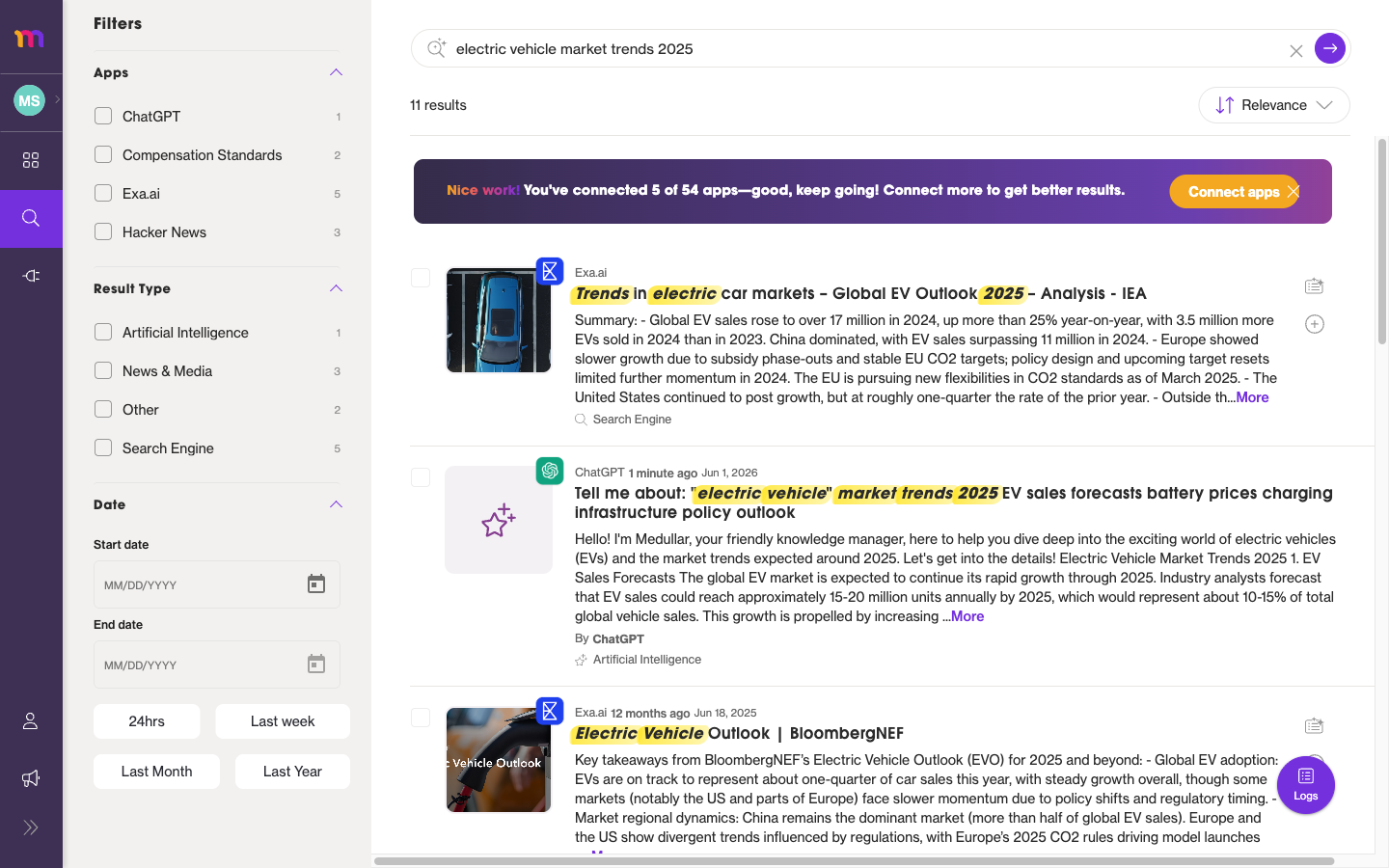 Universal Search streams results in as cards, grouped by the app they came from.
How a typical workflow looks
Here’s how the pieces fit together in everyday use:
- Connect your apps. Add the tools you work in every day so Medullar can search and learn from them.
- Search across everything. Run a single search and watch results stream in from each connected source.
- Save what matters into a Space. Add useful results to a Space as records, so the AI can reason over them.
- Chat for answers. Ask questions in your Space and get answers with a Discovery Path showing the sources and reasoning behind each one.
- Pin and share. Pin the best answers and invite teammates to collaborate in the same Space.
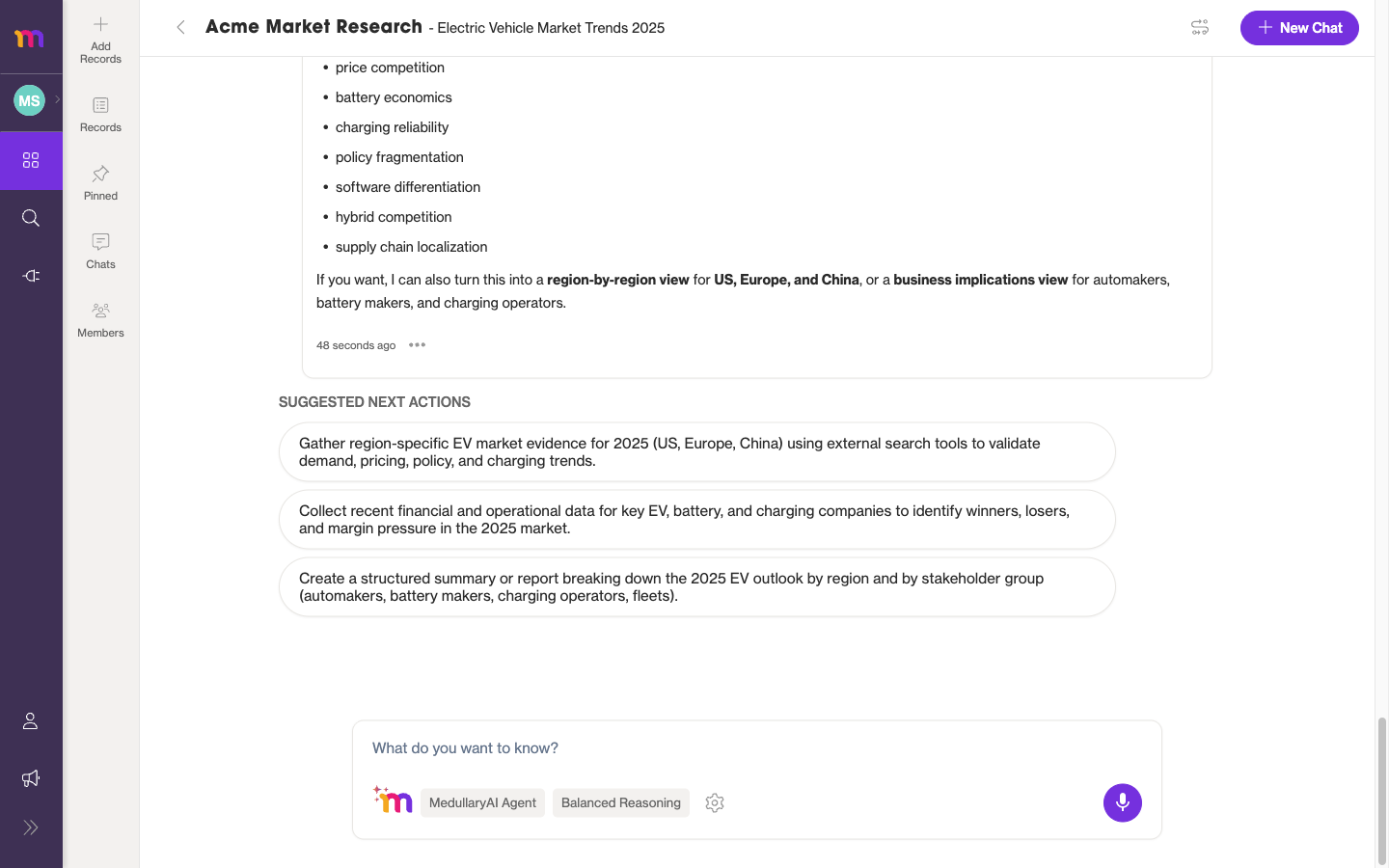 Inside a Space, you chat with the Medullar AI over your connected data.
New to Medullar? After you sign in, a short onboarding wizard helps you name your workspace, connect your first apps, and install the browser extension. You can skip any step and come back to it later.
Where to go next
Pick the guide that matches what you want to do:
- Create an account and sign in — set up Medullar and log in for the first time.
- Running a search — search across all your connected apps at once.
- Spaces: overview and create — build a collaborative, AI-powered knowledge container.
- Connecting your apps — connect and manage the tools Medullar searches.
- Medullar Apps — the full reference for every connector.